One of the most common sources of wasted time and material in tube fabrication is starting a build without a full picture of what it requires. You get partway through a project and realize you're short a stick of tube. Or you quote a job from memory and leave money on the table.
FitUp Assembly Builder now includes a built-in Weight and Cost Estimator that puts everything you need to know about your build in one place — before you order material, before you quote the job, before you make the first cut.
What's in the Weight and Cost Estimator
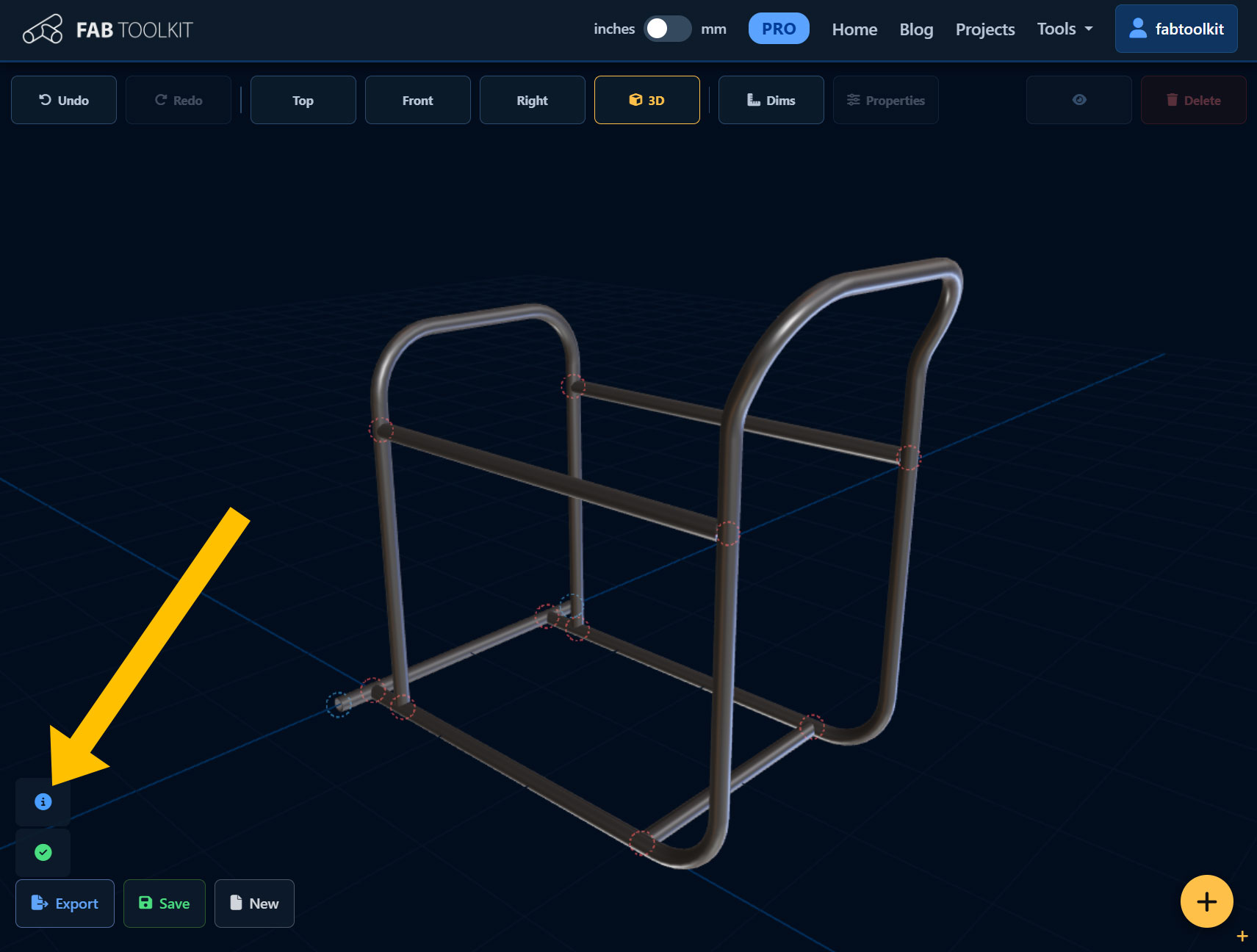
Tap the info icon in FitUp to open the Weight and Cost Estimator. It breaks your build down into four sections:
Pieces
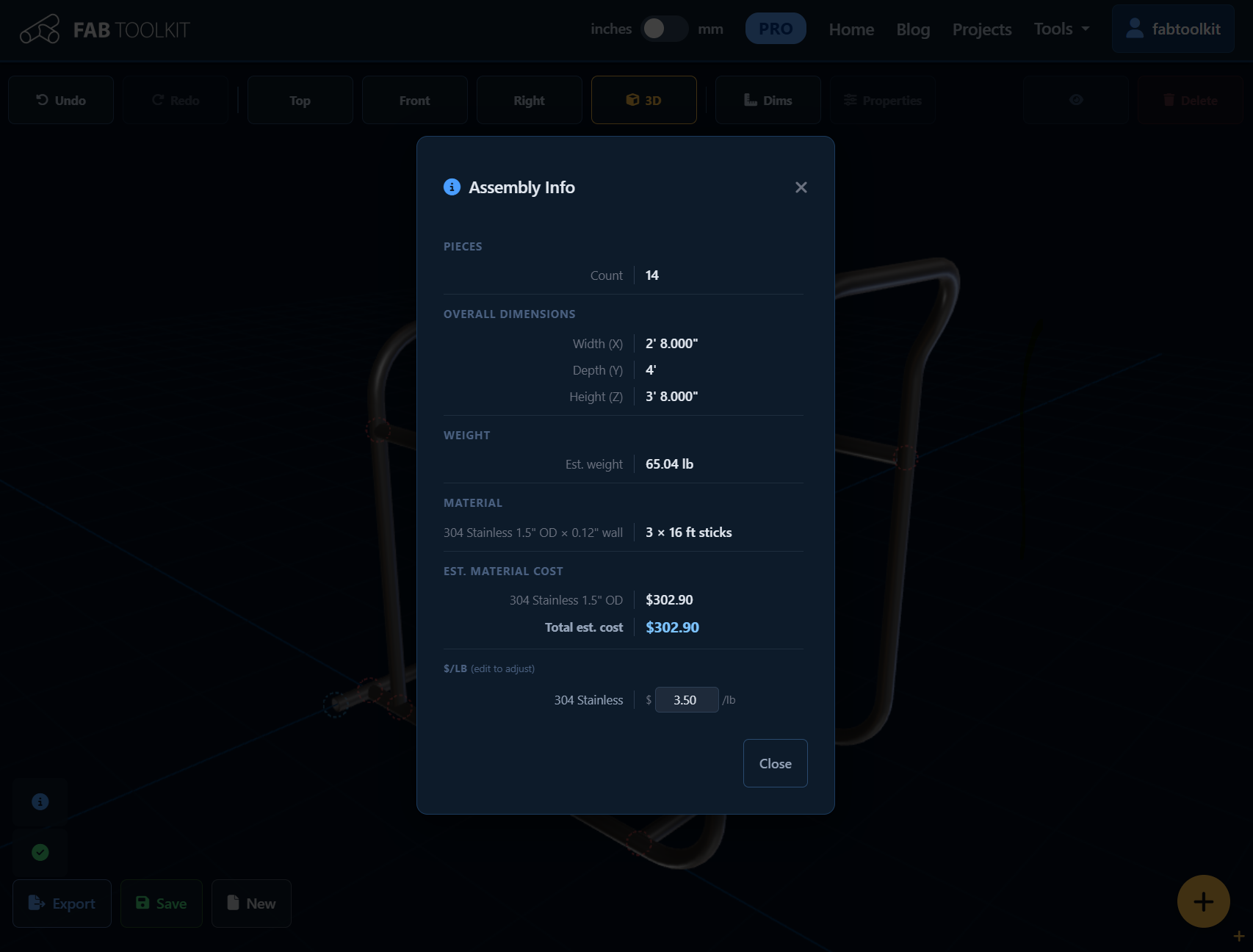
A simple count of every tube in the assembly. Useful as a sanity check after laying out a complex frame — if you designed a 6-point roll cage and the count shows 5, something's off.
Overall Dimensions
The bounding box of your entire assembly in all three axes — width (X), depth (Y), and height (Z). This tells you the envelope your finished weldment will occupy. Handy for checking clearances, planning transport, or confirming a part fits the space it was designed for.
Estimated Weight
FitUp calculates the estimated weight of the assembly by computing the cross-sectional area of each tube, multiplying by the tube's total path length and the density of the selected material. The result accounts for hollow tube geometry and handles both round and square profiles.
The weight is displayed in a format that makes sense for the size of the build — ounces for small assemblies, pounds for most fabrication projects, and tons for large structural work.
Supported materials include: Mild Steel, ERW Steel, DOM Steel, 4130 Chromoly, 304 Stainless, 316 Stainless, 6061 Aluminum, 7075 Aluminum, and Titanium — each with accurate density values for weight calculation.
Material Required
This section lists every unique tube spec in your assembly — material, OD, and wall thickness — and tells you exactly how many stock-length sticks you need to order. FitUp groups tubes by spec and calculates the number of pieces required to cover your cut list with standard stock lengths.
If your assembly uses two different tube sizes, you'll see two separate line items — one per spec. No more eyeballing how much material to call in.
Estimated Material Cost
The cost estimate section shows a per-spec breakdown and a total estimated material cost for the assembly. It's based on a price-per-pound rate for each material, applied to the calculated weight of the stock you'll need to buy.
The default prices reflect current retail rates, but you can adjust them directly in the modal. If your supplier charges a different rate for 4130 than the default, type in your actual price and the estimate updates instantly. Your custom prices are remembered locally so you don't have to re-enter them every session.
The cost estimate covers raw material only — consumables, labor, and finishing aren't included. It's a starting point for quoting, not a final bid number.
Why This Matters at Quote Time
If you've ever had to quote a tube fabrication job, you know the drill: measure the drawing, estimate the tube, guess at the material cost, add labor, and hope you didn't miss anything. The Weight and Cost Estimator compresses most of that process into a few seconds.
Design the assembly in FitUp, open the estimator, and you have:
- A piece count to verify completeness
- Overall dimensions for clearance and transport planning
- An estimated weight for structural review or shipping estimates
- A material cut list broken out by spec
- A material cost estimate you can adjust to your supplier's pricing
That's the information that used to take a spreadsheet — now it's built into the tool you're already using to lay out the assembly.
Try FitUp's Weight and Cost Estimator
Lay out your frame in 3D and get a complete build summary — weight, material list, and cost estimate — in seconds.
Launch FitUp