
Know every cut before you touch the saw. Design tube assemblies in minutes, then automatically generate cut lists, printable coping templates, and build-ready shop packets. No CAD experience required.
Know every cut before you touch the saw. Design tube assemblies in minutes, then automatically generate cut lists, printable coping templates, and build-ready shop packets. No CAD experience required.
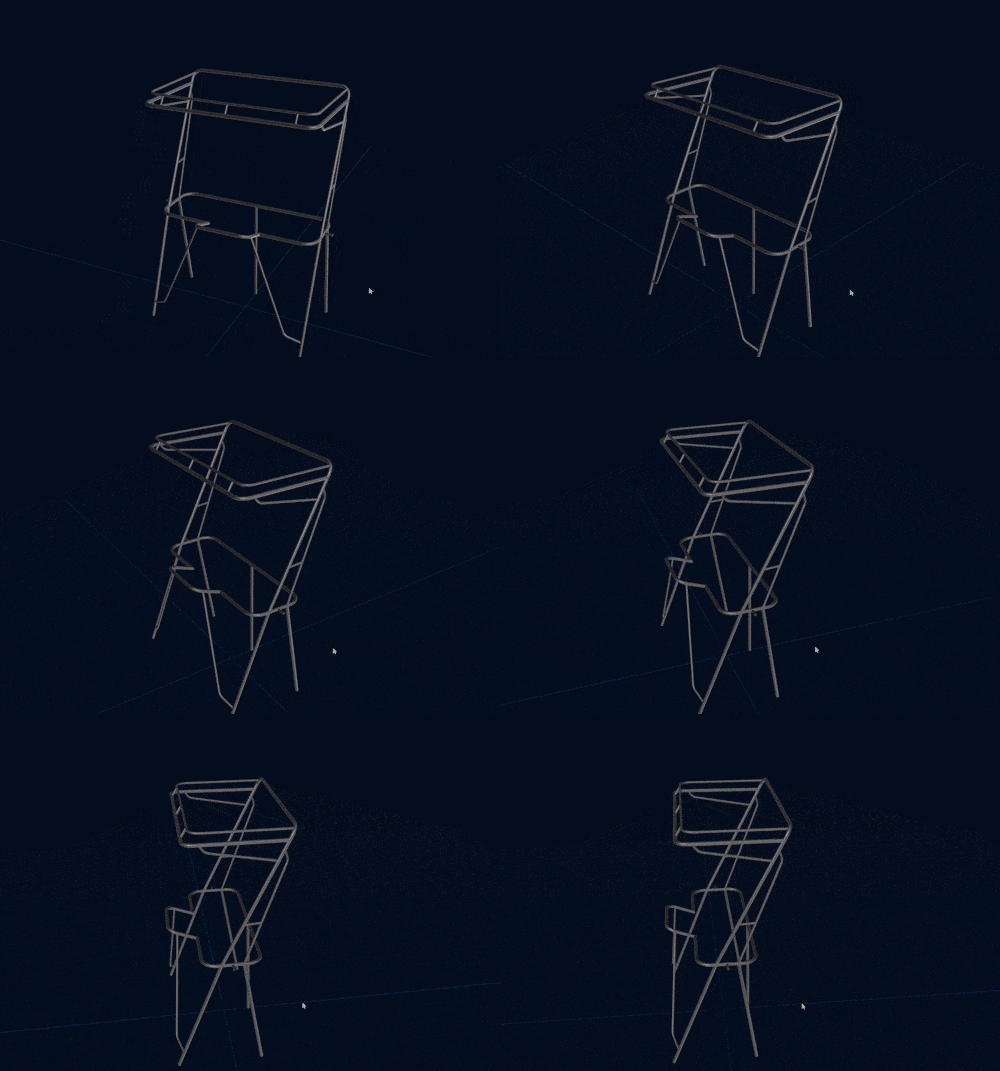
Orbit and inspect your assembly from any angle before making the first cut. Solid or skeleton render mode.
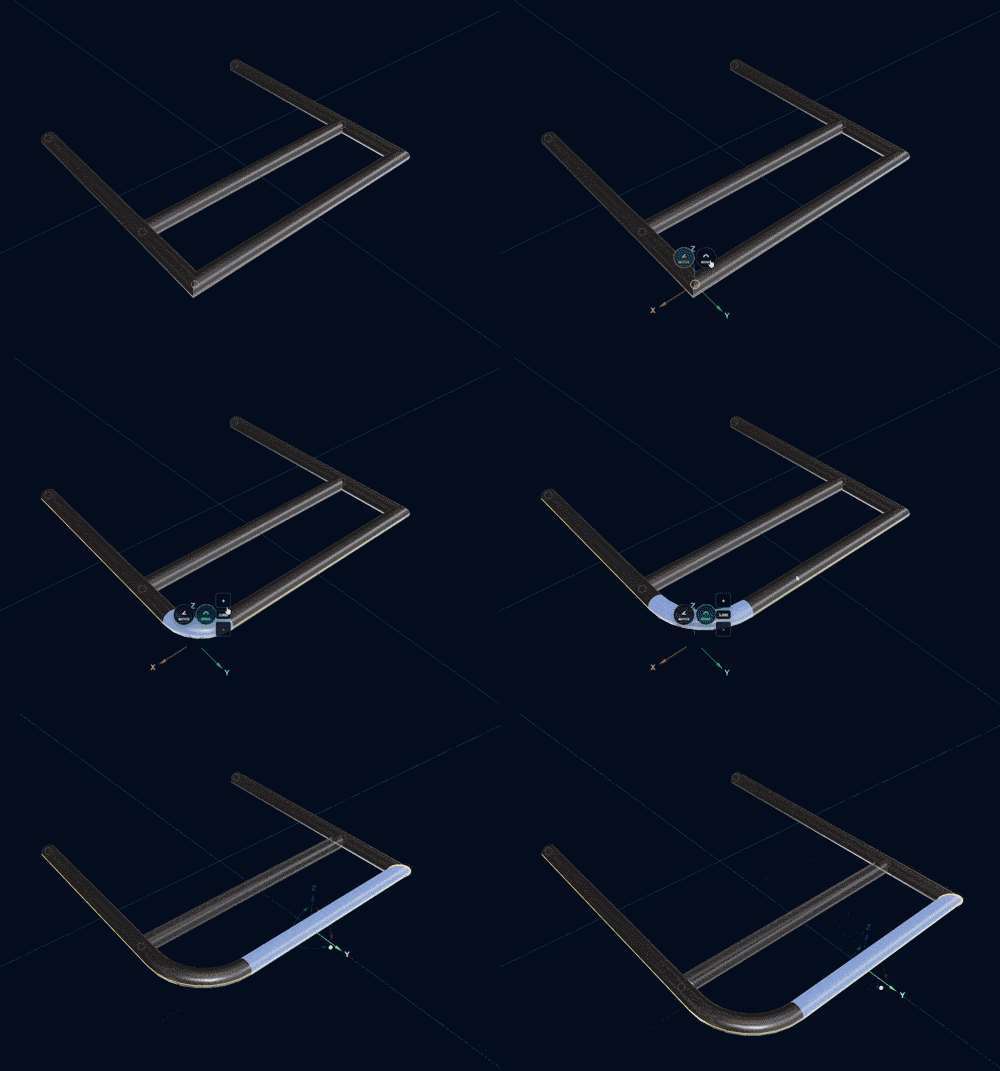
Draw multi-bend runs and attach branches anywhere along a tube — including directly on bend arcs.
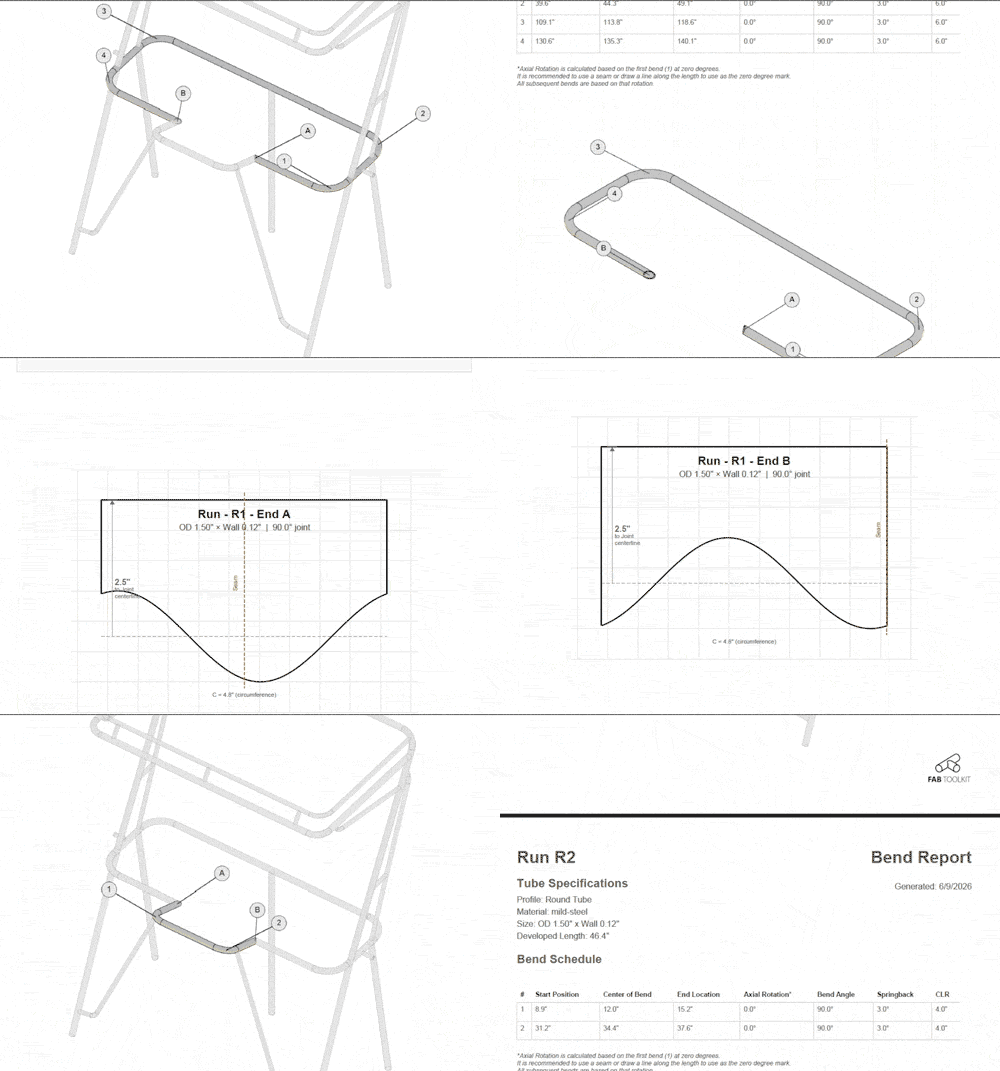
Every tube listed with length and end treatment. Includes printable cope & miter templates, 3D model export, and G-code for plasma or CNC cutting.
Place tubes in a live 3D scene and see the whole assembly take shape before cutting a single piece.
Sketch your layout point by point. Snaps to grid and existing endpoints for clean, accurate joins every time.
Add radius bends to any tube run and see the arc geometry update instantly. No manual calculations.
Attach branch connections anywhere — including directly on bend arcs. Drag to reposition freely.
Every piece listed with length, angles, and end treatment — calculated automatically from your layout.
Export a printable 1:1 cope template for any branch joint. Wrap, mark, and cut.
Export the full assembly as STL or OBJ — ready for 3D printing, CNC, or sharing with your fabricator.
Generate plasma or CNC cutting paths for every cope and miter. Seam-aligned and zero-referenced for your machine.
Toggle overlays to see offsets, lengths, and arc positions on any selected piece at a glance.
Save your assembly to your account or export a local file. Pick up exactly where you left off on any device.
Click to draw tube runs or place individual pieces. Add bends at any point and watch the 3D model build in real time.
Click any tube to attach a branch. Drag it to the exact position — on straight sections or directly on bend arcs.
Miter cuts at endpoints, cope angles where branches meet pipe — all recalculated instantly whenever you adjust a piece.
Export a ready-to-print PDF with every tube length, end treatment, cope template, and miter template — everything you need to cut and fit up.
Free to use. Pro unlocks assembly reports and cut templates.
Generate printable saddle joint templates for pipe-to-pipe intersections.
Design multi-bend tubes with 3D visualization and full bend reports.
Generate templates for straight miter cuts on round pipe.
Create precise drilling templates for bolt circles and grid patterns.